Beyond Closed Captions: The New Standards for Real-Time Multilingual Access
A White Paper for City & County Clerks
Prepared by Convene Research and Development
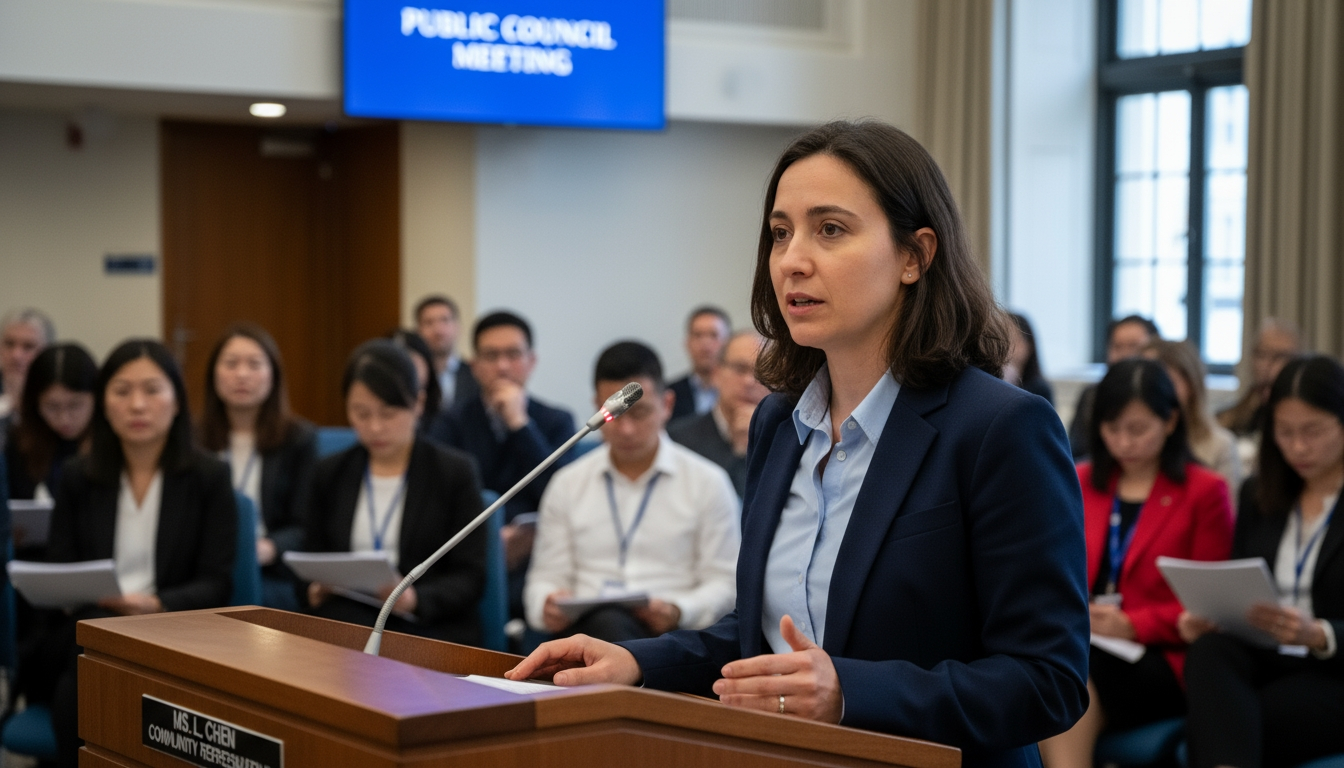
Scope and Purpose — This white paper defines the emerging standards for real-time multilingual access in public meetings. It moves beyond closed captions to a comprehensive framework that includes live subtitles, spoken and sign-language interpretation, speech translation pipelines, and accessible delivery across web, mobile, broadcast, and archives. The goal is a repeatable operating model that meets legal duties, commits to measurable outcomes, and avoids adding headcount by leveraging vendors, technology, and right-sized procedures.
1. Executive Summary
Captions alone do not deliver meaningful access for residents who speak other languages or use sign language. New standards combine interpretation, high-quality subtitles, and accessible delivery to create parity for participation and understanding. This paper outlines outcomes, metrics, architectures, and procurement terms that let clerks scale access without adding staff.
2. Legal Landscape and Policy Drivers
Title VI requires meaningful access for Limited English Proficiency (LEP) residents; ADA Title II requires effective communication for people with disabilities. Together, they require translated vital documents, timely interpretation for public participation, and accessible web and document presentation (WCAG 2.1 AA).
3. Taxonomy: From Captions to Interpretation
This section clarifies the differences among captions, subtitles, SDH, CART, simultaneous interpretation, and speech translation pipelines, so that procurement and technical planning align with outcomes rather than labels.
3.1 Captions vs. Subtitles vs. SDH
Captions represent same-language speech plus non-speech cues for accessibility; subtitles translate dialogue into another language; SDH (subtitles for the deaf and hard of hearing) merges both approaches and includes sound effects and speaker IDs.
3.2 CART and Live Subtitling
Communication Access Realtime Translation (CART) produces verbatim text in real time. Live subtitling can be human-driven (steno/CART) or ASR-assisted with human QA.
3.3 Simultaneous Interpretation (Spoken & ASL)
Simultaneous interpretation (SI) renders speech into another language in near real time. For ASL, provide persistent picture-in-picture (PIP) and appropriate camera framing.
3.4 Speech Translation Pipelines
ASR -> MT -> TTS pipelines can generate multilingual audio/text. Constrain use to low-risk contexts and require human oversight for public-facing artifacts.
4. Outcomes & Standards: What “Meaningful Access” Looks Like
Outcomes: ability to attend, understand, and speak with parity. Standards include caption latency/accuracy, interpreter availability, subtitle readability, and accessible player controls. Publish these in a Language Access Program (LAP) and measure quarterly.
Table 1. Access Outcomes -> Measurable Standards
| Outcome | Standard | Indicator |
|---|---|---|
|
Understand |
Captions >=90% live; >=95% archive |
QC sample; error rate |
|
Participate |
Interpreter fill rate >=98% |
Roster confirmations |
|
Reach |
Translated summaries for Tier-1 langs |
Posting within SLA |
|
Usability |
WCAG 2.1 AA player/docs |
Accessibility report |
5. Architecture Options
Choose among on-site SI, remote SI (RSI), or hybrid speech-translation with human QA. Ensure clean audio feeds, talk-back paths, and stream overlays that respect WCAG.
Table 2. Architecture Comparison (On-Site SI vs. RSI vs. Speech Translation)
| Dimension | On-Site SI | Remote SI (RSI) | ASR->MT->TTS |
|---|---|---|---|
|
Latency |
~150-300 ms |
~200-400 ms + network |
~1.0-2.5 s |
|
Quality control |
Direct oversight |
Vendor platform QA |
Model + human post-edit |
|
Cost profile |
Higher per meeting |
Moderate |
Lower but QA needed |
|
Risk |
Room logistics |
Network dependency |
Bias/accuracy/latency |
6. Latency & Quality Targets
Define budgets for encoding, transport, and rendering. Monitor live latency and post-meeting accuracy with sampling plans, and establish escalation thresholds.
Table 3. Latency Budget (Illustrative)
| Stage | Target | Notes |
|---|---|---|
|
Mic -> encoder |
<= 50 ms |
Low-latency interface |
|
Encoder -> platform |
<= 150 ms |
Prioritize traffic |
|
Platform -> interpreter |
<= 100 ms |
Clean feed / mix-minus |
|
Return/overlay |
<= 100 ms |
PIP/subtitle render |
Table 4. Quality Metrics & Thresholds
| Metric | Target | Sampling |
|---|---|---|
|
Live caption accuracy |
>= 90% |
Per 10-min segment |
|
Archive caption accuracy |
>= 95% |
Post-edit QC |
|
Interpreter fill rate |
>= 98% |
Per meeting |
|
Subtitle reading speed |
140-180 wpm |
Spot checks |
7. Meeting-Day Operations
Operational checklists prevent most failures. Verify access links at T-24h/T-1h, confirm interpreters, enable captions at gavel, and display multilingual instructions. Use a recess SOP with signage if access fails and resume only after parity is restored.
Table 5. Pre-Flight Checklist (Excerpt)
| Check | Owner | Evidence |
|---|---|---|
|
Links verified (T-24h/T-1h) |
Clerk/IT |
Checklist |
|
Interpreter confirmed |
Clerk |
Email/SMS |
|
Captions enabled at gavel |
AV |
Screenshot |
|
ASL PIP framed |
AV |
Program capture |
8. Accessibility Beyond Language
Apply WCAG 2.1 AA to the player and posted materials: keyboard controls, focus order, contrast, labeling, and tagged PDFs. Provide ALS devices and clear instructions in the room and online.
9. Staffing-Neutral Workflows
Scale without adding staff by standardizing templates, using translation memory, scheduling interpretation windows, and automating intake through a TMS.
Table 6. Staffing-Neutral Controls
| Control | Why it Works | Proof |
|---|---|---|
|
Templates + glossary |
Less rework; consistency |
Versioned docs |
|
Translation memory |
Reuse across agendas |
Leverage % |
|
Interpreter windows |
Predictable scheduling |
Roster confirmations |
|
TMS intake |
Automated routing |
On-time rate |
10. Procurement & SLAs (Outcomes Over Features)
Write outcome-based clauses: accuracy after post-edit, interpreter response windows, caption latency, uptime, incident response, data ownership, and export formats. Require quarterly business reviews and failover drills; apply credits for misses.
Table 7. Outcome-Based SLA Clauses (Excerpt)
| Outcome | Target | Remedy |
|---|---|---|
|
Post-edit accuracy |
>= 95% |
Credit + corrective action |
|
Interpreter response |
Confirm <= 24h |
Backup vendor at cost |
|
Caption latency |
<= 2.0 s |
Credit + RCA |
|
Uptime |
>= 99.5% |
Pro-rated credit |
11. Privacy, Security, and Records
Treat audio/text streams, translation memory, and interpreter recordings under your records policy. Define ownership, access, retention, and redaction procedures. Avoid training third-party models on agency content without explicit consent.
Table 8. Records Bundle (PRA-Ready)
| Asset | Example | Purpose |
|---|---|---|
|
Video master |
YYYY-MM-DD_Video.mp4 |
Authoritative record |
|
Captions |
…_Captions.vtt |
Search + accessibility |
|
Interpreter track |
…_Spanish.mp3 |
Participation parity |
|
Minutes/exhibits |
…_Minutes.pdf; …_ExhibitA.pdf |
Context |
12. Budget Models & Avoided Costs
Invest in process and SLAs rather than headcount. Track avoided costs—complaints, re-hearings, PRA time—to self-fund improvements.
| Line Item | Small (<=25k) | Mid (25k-250k) | Large (>=250k) |
|---|---|---|---|
|
Live + post captions |
$8k-$15k |
$18k-$35k |
$45k-$90k |
|
Interpretation (ASL/spoken) |
$10k-$25k |
$25k-$70k |
$70k-$160k |
|
Accessibility QA |
$3k-$8k |
$8k-$20k |
$20k-$50k |
|
Training & drills |
$2k-$5k |
$5k-$12k |
$12k-$25k |
|
Redundancy & uptime |
$3k-$8k |
$10k-$25k |
$25k-$60k |
13. KPIs & Audits
Keep a compact KPI set and sample regularly. Review quarterly with vendors and publish an annual access report to the governing body.
Table 10. KPI Dashboard
| KPI | Definition | Target |
|---|---|---|
|
SLA hit rate |
On-time translations / total |
≥ 95% |
|
Post-edit error rate |
Errors per 1,000 words |
≤ 3 |
|
Interpreter fill rate |
Confirmed / requested |
≥ 98% |
|
Caption correction time |
To corrected VTT/SRT |
≤ 72 hours |
|
Broken link rate |
Failed links / total tested |
< 1% |
|
PRA retrieval time |
Deliver bundle to requestor |
≤ 30 minutes |
14. Implementation Roadmap (90/180/365 Days)
90 days: enable captions at gavel; interpreter roster; templates and glossary; remediate top pages; KPI setup.
180 days: TMS intake; glossary governance; bias sampling; quarterly drill; publish translated summaries for Tier-1 languages.
365 days: comprehensive LAP; outcome-based SLAs; annual access report; regional sharing of interpreters and TM.
15. Case Vignettes (Anonymized)
Examples show low-cost, scalable implementations: a small city using interpreter windows and templates; a mid-size city adopting RSI and reducing costs; and a county bundling interpreter audio and captions to cut PRA retrieval time in half.
16. Risk Register
Key risks: latency spikes, interpreter no-shows, inaccurate captions/subtitles, broken access links, inaccessible PDFs, and privacy leaks. Mitigate via redundancy, rosters, WCAG QA, and data governance.
Table 11. Risk Register (Excerpt)
| Risk | Likelihood | Impact | Mitigation |
|---|---|---|---|
|
Latency spikes |
Med |
High |
Network QoS; monitoring |
|
Interpreter no-show |
Low |
Med |
Roster depth; backup vendor |
|
Caption drift |
Med |
Med |
QC monitor; post-edit |
|
Broken links |
Low |
High |
T-24h/T-1h checks |
|
Privacy leak |
Low |
Med |
Redaction; vendor controls |
17. Templates & Checklists (Overview)
Included: pre-flight checklist; moderator scripts (open/recess/resume) in top languages; translation brief; QA checklist; procurement exhibit; PRA bundle index.
20. Subtitle Readability & Formatting Standards
Table 12. Subtitle Formatting Rules (Operational)
| Rule | Target/Value | Rationale |
|---|---|---|
|
Max lines per subtitle |
2 lines (3 only if necessary) |
Maintain readability and avoid occlusion |
|
Max characters per line |
42–48 (monospaced est.) |
Limits eye travel; supports quick parsing |
|
Reading speed |
140–180 wpm |
Matches public-speech cadence |
|
Line breaks |
Syntactic breaks; no orphaned words |
Preserves meaning and flow |
|
Positioning |
Bottom safe area; move for PIP |
Avoids covering ASL/graphics |
|
Speaker IDs |
‘[Mayor]’, ‘[Interpreter]’ as needed |
Clarifies turn-taking |
21. ASL Video Presentation & Layout
ASL is a primary language, not a derivative of English captions. Keep a persistent PIP window, adequate size, and strong contrast. Use camera framing that maintains signing space and hand visibility; avoid multi‑box layouts that shrink the ASL window during key moments (motions, public comment).
Table 13. ASL PIP Sizing & Layout Targets
| Element | Target | QC Evidence |
|---|---|---|
|
Minimum PIP size |
≥ 1/8 of video height |
Program capture |
|
Background/contrast |
Solid, high contrast |
Screenshot in log |
|
Framing |
Head to waist; full signing space |
Camera test sheet |
|
Persistence |
PIP never removed during speech |
Policy + captures |
22. Network & Encoder Engineering for Low Latency
Engineer for deterministic latency: prioritize audio streams, use low‑latency codecs/profiles, and enable QoS on WAN links. Validate end‑to‑end delay and jitter from microphone to interpreter and back to the program feed. Maintain a failover encoder and dual ISP paths for resilience.
Table 14. Low‑Latency Network/Encoder Settings (Guide)
| Layer | Setting | Target/Notes |
|---|---|---|
|
Codec profile |
Low-latency H.264/Opus |
Reduce buffer bloat |
|
GOP size |
Short GOP (0.5–1.0 s) |
Faster recovery |
|
Jitter buffer |
Adaptive; cap under 120 ms |
Limit added delay |
|
QoS |
DSCP for audio; priority queue |
Protect interpreter audio |
|
Redundancy |
Dual encoders; dual ISP |
Failover within 10 s |
23. Bias, Accuracy, and Quality Assurance
Quality varies by language and domain. Implement stratified sampling that includes proper nouns, policy terms, and community names. For ASR/MT pipelines, track error types (substitutions, deletions, insertions) and bias indicators. Publish quarterly quality reports with corrective actions and glossary updates.
Table 15. QA Sampling Plan (By Artifact)
| Artifact | Sample Size/Cadence | Checks |
|---|---|---|
|
Live captions |
60 s every 30 min |
Accuracy; latency |
|
Archive captions |
3× 2-min segments/meeting |
Proper nouns; numbers; motions |
|
Subtitles |
2 pages/notice; 1 agenda item |
Readability; line breaks |
|
Interpreter audio |
First 2 comments |
Clarity; routing; hand-offs |
24. Privacy & Data Protection in Multilingual Pipelines
Treat audio/text artifacts and translation memory as controlled records. Define access roles, data retention, redaction workflows, and vendor obligations (no training on agency data without consent). Document privacy risks and mitigations for each system involved in the pipeline.
Table 16. Data Classification & Retention (Example)
| Asset | Class | Retention | Access |
|---|---|---|---|
|
Interpreter audio |
Confidential |
7 years |
Records; Counsel |
|
Captions VTT/SRT |
Public |
7 years |
Clerk; Web |
|
Translation memory |
Internal |
Duration of contract + 3 yrs |
Clerk; Vendor (limited) |
|
QC reports |
Internal |
3 years |
Clerk; AV/IT |
25. Public Comment Parity (Remote & In‑Room): SOPs
Ensure equitable participation regardless of modality. Standardize queue management, timekeeping, and interpretation routing. Publish instructions in top languages and provide a clear recess/resume protocol if access fails.
Table 17. Parity Workflow Steps (Moderated Queue)
| Step | Owner | Access Consideration |
|---|---|---|
|
Announce comment channels |
Chair |
Languages; ASL; phone/online |
|
Queue & timekeeping |
Clerk |
Equal time; interpreter time |
|
Interpretation routing |
AV |
Clean feed; talk-back |
|
Recess/resume SOP |
Chair |
Restore parity before resuming |
26. Testing & Certification (WCAG & Usability)
Combine automated WCAG scans with manual keyboard testing and reader studies in target languages. Certify players and document readers quarterly; retain reports for audit and procurement reviews.
Table 18. Accessibility Test Matrix (Quarterly)
| Area | Method | Pass Threshold |
|---|---|---|
|
Player controls |
Keyboard + screen reader |
Operable; labeled |
|
Contrast/legibility |
Contrast checker |
Meets WCAG 2.1 AA |
|
PDF agendas |
Tag tree; reading order |
Logical; tagged |
|
Web pages |
Automated + manual checks |
AA conformance |
27. Community Engagement & LEP Outreach
Formalize partnerships with community‑based organizations (CBOs) and schools to broadcast meeting access information. Use reader testing and publish changes made as a result of feedback to build trust.
Table 19. Outreach Partner Matrix (Example)
| Partner Type | Role | Touchpoints |
|---|---|---|
|
CBOs |
Distribute notices; host demos |
Quarterly sessions |
|
Libraries |
Access points; device help |
Flyers; staff briefings |
|
Schools |
Family outreach |
Newsletters; portals |
|
Ethnic media |
Language-specific coverage |
PSAs; interviews |
28. Appendix A: Outcome‑Based SLA Language (Sample)
Exhibit X — Service Levels and Remedies: The Vendor shall meet the following minimum outcomes. Misses incur credits and corrective action plans (CAPA). Agency owns all derivative data (captions, subtitles, translation memory) and may export in open formats without additional fee.
Table 20. Sample SLA Clauses → Evidence
| Clause | Outcome/Target | Evidence/Measurement |
|---|---|---|
|
Caption accuracy (archive) |
≥ 95% within 72 h |
QC sheets; corrected VTT |
|
Interpreter response |
Confirm ≤ 24 h; 98% fill |
Roster logs |
|
Player accessibility |
WCAG 2.1 AA |
Quarterly report |
|
Data export |
TMX/TBX/VTT on demand |
Export logs; contract exhibit |
29. Appendix B: Templates & Logs (Contents)
- Quarterly access report outline; KPI dashboard worksheet.
- PRA bundle index; Meeting ID naming and metadata schema.
- Translation brief; glossary; QA checklist; corrective action log.
- Pre‑flight checklist; moderator scripts (open/recess/resume).
18. Footnotes
[1] Title VI of the Civil Rights Act of 1964; Executive Order 13166 (LEP access).
[2] Americans with Disabilities Act, Title II; 28 C.F.R. pt. 35 (Effective Communication).
[3] DOJ Final Rule on Web Accessibility for State and Local Governments (WCAG 2.1 AA).
[4] State open-meeting and public-records statutes; consult counsel for jurisdiction-specific obligations.
19. Bibliography
U.S. Department of Justice — LEP Guidance; ADA Effective Communication resources. W3C — Web Content Accessibility Guidelines (WCAG) 2.1. National League of Cities and state municipal leagues — best-practice guides for public engagement and language access.
Table of Contents
Convene helps Government have one conversation in all languages.
Engage every resident with Convene Video Language Translation so everyone can understand, participate, and be heard.
Schedule your free demo today: